It’s quite easy to remove it!
1. Log in to your blog.
2. Click on layout.
3. Click on ‘navbar’ in the upper right hand corner.
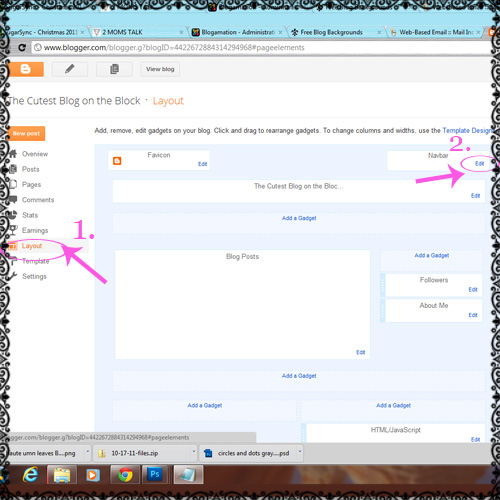
4. You’ll see a pop-up of options that you can choose from.
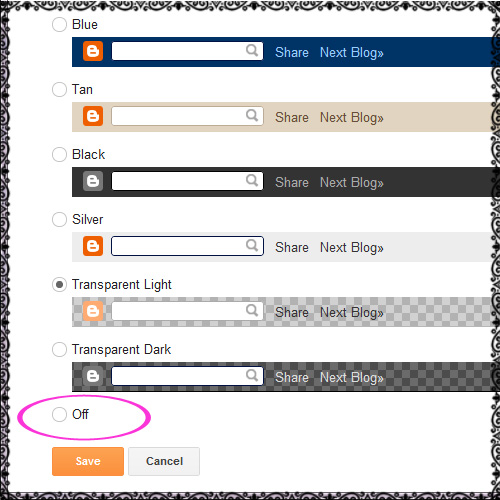
5. Choose ‘off’ and then hit ‘save’ and you’re done!


It’s quite easy to remove it!
1. Log in to your blog.
2. Click on layout.
3. Click on ‘navbar’ in the upper right hand corner.
4. You’ll see a pop-up of options that you can choose from.
5. Choose ‘off’ and then hit ‘save’ and you’re done!
You must be logged in to post a comment.
Soooo easy! Thank you!